
FORCEMAP REQUIREMENTS
What you need to run ForceMap
Check the software, hardware and setup requirements needed to run ForceMap with V1 Pro and compatible force or pressure systems.
ForceMap is designed for Windows coaching environments that already use V1 Pro PC software and supported force or pressure hardware.
Core setup requirements
Use this checklist before installing ForceMap or requesting activation support.
- Windows coaching PC suitable for V1 Pro PC software.
- Active V1 Pro PC workflow with local swing video access.
- Compatible force or pressure hardware such as Sensor Edge Dynamics Duo or supported pressure systems.
- Exported or accessible force and pressure data that can be matched to swing video.
- Internet access for download, activation and support.
- Permission to store and process athlete or client session data.
Windows coaching PC
Use a Windows computer suitable for your current V1 Pro PC workflow, local video storage and connected hardware.
V1 Pro workflow
ForceMap is intended for coaches who already capture, review or manage swing sessions in V1 Pro for Windows.
Force or pressure data
Use compatible force or pressure systems with data that can be matched to the golfer, session and swing video.
Setup workflow
Before installing ForceMap, confirm the computer, V1 Pro workflow, hardware connection and exported data are working reliably.
01 Confirm V1 Pro
Check that V1 Pro for Windows opens your golfer sessions and local swing video correctly.
02 Check hardware
Confirm the force or pressure system is connected and producing session data before ForceMap activation.
03 Prepare details
Have your V1 Pro version, Windows PC details and hardware model ready when requesting support.
What to check before activation
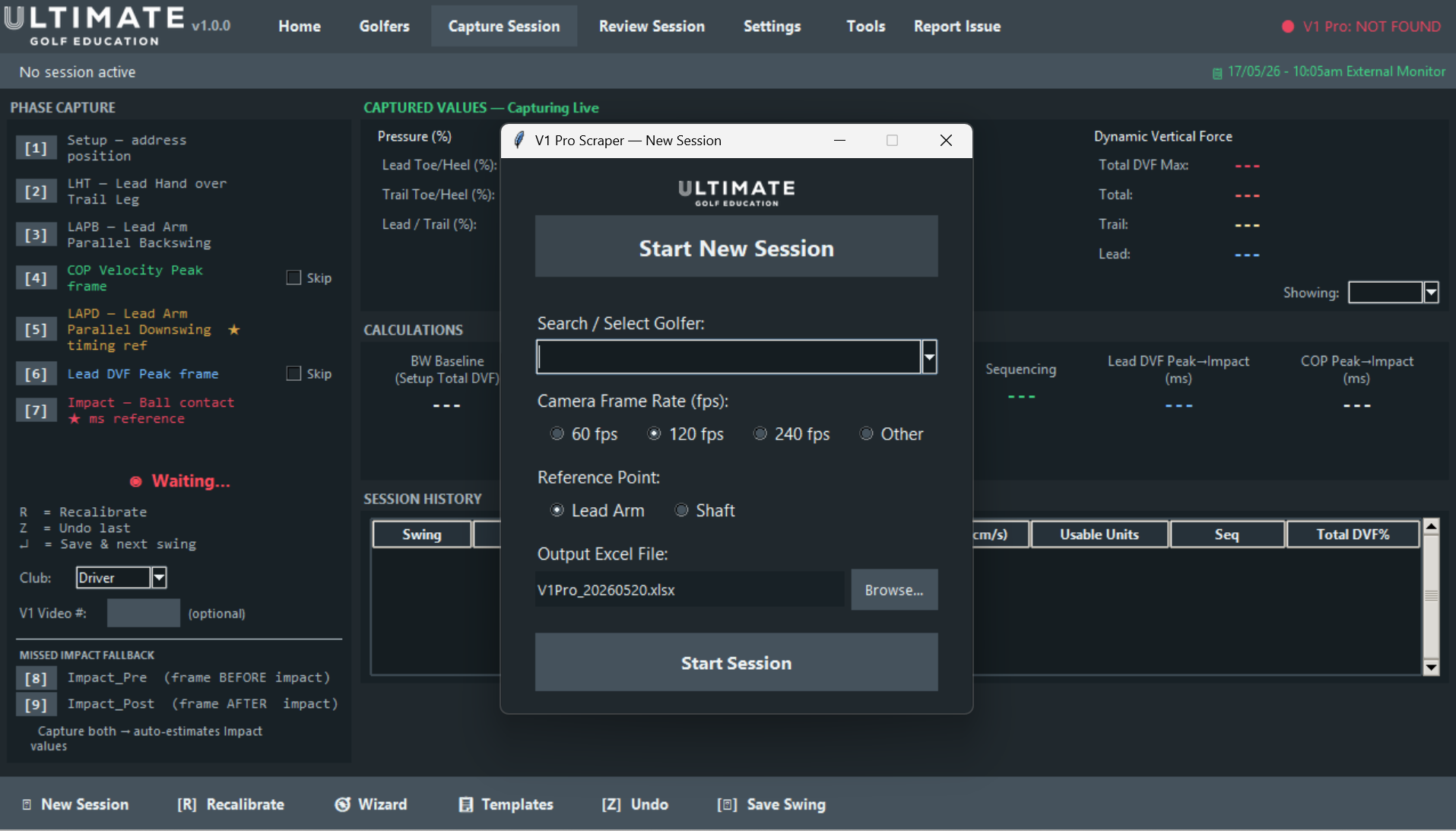
ForceMap connects video review with hardware data.
The cleanest setup is a Windows coaching station where V1 Pro video, compatible force or pressure data and local session storage are already organised.
Local session access
Keep swing video and athlete session files available on the coaching computer or approved local storage.
Data permission
Make sure you have permission to store and process athlete or client session data inside your coaching workflow.
Support readiness
Internet access is needed for download, activation and support while setup is completed.
READY CHECK
Confirm the setup before installing.
If any part of the V1 Pro, Windows or hardware workflow is uncertain, contact ForceMap before installing.
Requirements FAQ
Yes. ForceMap is built around a V1 Pro PC workflow and is intended for coaches who already capture or review swing video in V1 Pro.
ForceMap is designed for compatible force or pressure systems used with V1 Pro workflows, including Sensor Edge Dynamics Duo and supported pressure systems.
Internet access is needed for download, activation and support. Day-to-day session files are stored on the coaching computer or local storage you control.
Confirm your Windows PC, V1 Pro setup, hardware connection and exported force or pressure data are working before requesting ForceMap activation support.
Not sure whether your setup is ready?
Contact ForceMap before installing. Include your V1 Pro version, Windows PC details and force or pressure hardware model.